
A medical device can meet its electrical, mechanical and software specifications and still be unsafe in actual use. A clinician may misread a value, a patient may connect a component incorrectly, or a caregiver may miss a warning during a stressful situation.
These events are often described casually as “user error.” That description can hide the design conditions that made the error likely: similar controls, unclear feedback, an unexpected workflow, difficult cleaning steps, confusing instructions or a device that behaves differently from users’ existing mental models.
Human factors engineering addresses these conditions systematically. It studies how intended users interact with a medical device in its intended environments and uses that evidence to reduce use-related risk through design.
The goal is broader than convenience. According to the U.S. Food and Drug Administration, the central objective of human factors and usability engineering for medical devices is to minimize use-related risks and confirm that intended users can use the device safely and effectively. In August 2026, the FDA issued updated final guidance on applying human factors and usability engineering to medical devices, reinforcing the importance of integrating this work throughout development. See the FDA human factors guidance.
This guide explains how medical device teams can identify use-related hazards, design safer interfaces and prepare stronger evidence before regulatory submission and mass production.
What Is Human Factors Engineering in Medical Device Design?
Human factors engineering, also called usability engineering, focuses on the interaction between people and technology. In medical device development, it examines how user characteristics, the use environment, device behavior and interface design combine to produce safe or unsafe outcomes.
The FDA describes three major components of the device-user system:
- Device users
- Device use environments
- Device user interfaces
These components cannot be evaluated independently. A control that works well for a trained technician in a quiet laboratory may fail when used by an older patient at home. An alarm that is obvious during a demonstration may disappear in a noisy clinical environment. A wearable that records accurate data on a test fixture may be positioned incorrectly by users with different body shapes or mobility limitations.
Human factors engineering converts these realities into product requirements, risk controls and validation evidence.
Human Factors Is More Than Ergonomics
Ergonomics is an important part of medical device design, but human factors covers the complete interaction system.
| Design area | Example human factors questions |
|---|---|
| Physical ergonomics | Can users reach, grip, wear or position the device correctly? |
| Information design | Can users understand values, units, status and warnings? |
| Interaction logic | Does the device behave as users expect at each step? |
| Workflow | Can the task be completed safely in the real sequence of care? |
| Packaging | Can users identify, open and prepare the correct product? |
| Labeling and instructions | Can users find and apply safety-critical information? |
| Training | Does training reflect realistic availability and retention? |
| Maintenance | Can users clean, charge, calibrate and store the device correctly? |
| Software and connectivity | Can users recover from pairing, network, account or update failures? |
The FDA defines the user interface broadly. It includes everything users interact with while unpacking, setting up, calibrating, operating, cleaning, replacing batteries or repairing a device. Packaging, labeling and training materials are also part of the interface. See the FDA overview of human factors and medical devices.
This matters because a design team cannot rely on the physical enclosure alone. A device may be mechanically intuitive but still create risk through ambiguous software, nearly identical accessories or instructions that users cannot follow under realistic conditions.
How Use-Related Risk Develops
Use-related risk often emerges from an interaction among several factors rather than one isolated mistake.
Consider a home monitoring device:
- The user has limited vision.
- Two connectors have similar shapes.
- The display uses low-contrast text.
- The device gives no clear confirmation that setup is complete.
- The user is distracted by another care task.
- The instruction containing the relevant warning is several pages away.
The resulting error is not fully explained by saying the user “did it wrong.” Human factors engineering asks why the system allowed the error and how the design can prevent, detect or reduce its consequences.
Typical use-related problems include:
- Selecting the wrong control, mode or value
- Omitting a required step
- Performing steps in the wrong order
- Connecting the wrong component
- Misinterpreting data or alarms
- Applying the device to the wrong location
- Failing to clean or maintain it correctly
- Using it outside intended environmental conditions
- Continuing after a fault or incomplete setup
- Incorrectly recovering from an error
The severity depends on the product and clinical context. The same interface mistake may cause inconvenience in one device but delayed treatment or direct harm in another.
Define Intended Users Precisely
“Healthcare professionals” and “patients” are too broad to guide design. Intended user profiles should reflect the actual people expected to perform each task.
Relevant characteristics may include:
- Professional training and clinical role
- Familiarity with comparable devices
- Age and physical ability
- Vision, hearing and tactile sensitivity
- Hand strength and dexterity
- Cognitive workload and memory demands
- Language and literacy
- Health condition and emotional state
- Use of gloves or protective equipment
- Access to help, instructions or training
A product may have several user groups. A clinician configures it, a patient wears it, a family member cleans it and a technician services it. Each group interacts with a different part of the interface and may create different hazardous situations.
User-group distinctions should therefore be linked to tasks. The person who presses “start” may not be the person who interprets the result or responds to an alarm.
Analyze the Real Use Environment
Medical devices are used in intensive care units, ambulances, clinics, pharmacies, rehabilitation centers, homes and public spaces. Environmental conditions change how the interface performs.
Important factors include:
- Lighting and screen glare
- Background noise and competing alarms
- Space limitations and equipment placement
- Temperature, humidity and liquids
- Movement or vehicle vibration
- Network and power availability
- Interruptions and time pressure
- Infection-control procedures
- Use while standing, lying down or moving
- Presence of children, pets or other household members
- Storage, transport and disposal conditions
FDA guidance notes that medical devices may be used in clinical and non-clinical environments, community settings and moving vehicles. The environment should be treated as a design input, not merely a location for final testing. See the FDA human factors considerations.
Home-use devices deserve particular attention because users may be untrained, environments vary widely and professional support may not be immediately available. The FDA defines a home-use medical device as one intended for users in an environment outside a professional healthcare facility, including devices used in both clinical facilities and homes. See the FDA home-use device guidance.
Map the Complete User Interface
Before analyzing risk, document every touchpoint through which a user receives information or acts on the device.
Physical Interface
- Shape, size, weight and balance
- Handles, grips and wearable contact points
- Buttons, dials, switches and connectors
- Doors, latches, cartridges and accessories
- Tactile and mechanical feedback
Digital Interface
- Displays, menus and navigation
- Mobile and web applications
- Status indicators and progress feedback
- Data entry and confirmation
- Error messages and recovery flows
Audio and Alarm Interface
- Alarm tones and spoken prompts
- Priority and urgency differentiation
- Volume and audibility
- Silence, snooze and acknowledgement behavior
Supporting Interface
- Packaging and sterile barriers
- Labels and symbols
- Instructions for use
- Quick-start guides
- Training and customer support
- Cleaning, charging and replacement procedures
A fragmented development process often leaves these elements inconsistent. The enclosure may use one name, the app another, and the instructions a third. Human factors work should treat them as one interface system.
Conduct a Task Analysis
Task analysis breaks the intended workflow into observable user actions and decisions.
For each task, record:
- Who performs it
- When and where it occurs
- Information the user needs
- Physical and cognitive actions required
- Device feedback expected
- Possible use errors
- Potential consequences
- Existing controls and recovery paths
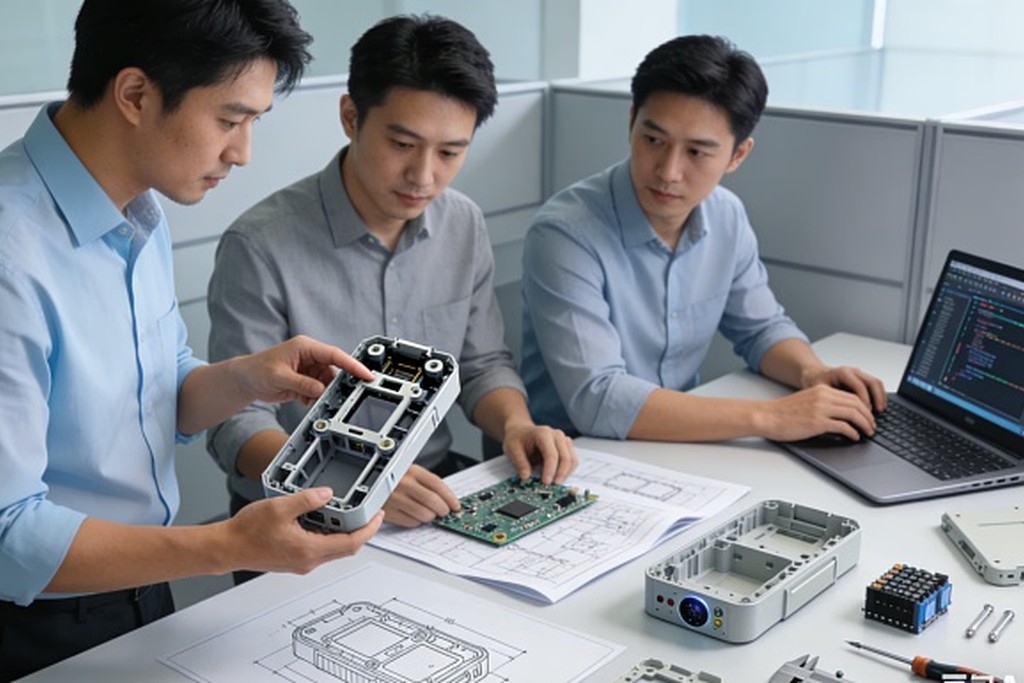
For a wearable monitoring product, tasks may include selecting a size, positioning the sensor, confirming contact quality, starting a session, interpreting status, responding to an alert, charging, cleaning and transferring the device to another user.
Do not analyze only the central clinical function. Problems often occur before and after it: opening the package, selecting an accessory, preparing the patient, entering data, cleaning the contact surface or determining whether the device is ready for reuse.
Task analysis should be informed by observation and evidence rather than by the ideal workflow described in a product requirements document.
Build a Use-Related Risk Analysis
A use-related risk analysis, commonly abbreviated as URRA, identifies hazards and estimates risks associated with use of the device. It supports the full human factors engineering process and helps determine which tasks and interface elements need stronger risk controls and validation evidence.
A practical URRA may connect the following fields:
| Field | Example |
| User task | Position a physiological sensor |
| Potential use error | Sensor placed on the wrong location |
| Interface cause | Positioning marks are difficult to see |
| Hazardous situation | Device produces an unreliable reading |
| Potential harm | Incorrect care decision or delayed intervention |
| Risk control | Asymmetric geometry, clear landmarks and placement confirmation |
| Verification method | Inspection and functional test |
| Human factors evidence | Formative and validation study results |
The URRA should remain connected to the broader product risk-management process. It is not a document created only for the final submission. As the design changes, new tasks and failure modes may appear.
Useful inputs include:
- Complaints and adverse-event information from comparable products
- Recalls and safety communications
- Interviews with users and subject-matter experts
- Contextual observation
- Existing formative studies
- Task analysis
- Heuristic evaluation
- Known technology and workflow limitations
The FDA describes URRA as the systematic use of available information to identify use-related hazards and estimate use-related risk. The agency’s current framework uses URRA, preliminary analyses and validation evidence as core parts of human factors documentation.
Identify Critical Tasks
Not every usability issue carries the same risk. Human factors teams need to distinguish preference and efficiency problems from tasks that could result in harm when performed incorrectly or omitted.
Examples of potentially critical tasks include:
- Selecting a therapy setting
- Connecting a patient-contact component
- Interpreting a high-priority alarm
- Confirming placement of a diagnostic sensor
- Recognizing that a reading is invalid
- Replacing a cartridge or consumable
- Cleaning a surface that contacts the patient
- Responding to a device fault
Whether a task is critical depends on the specific device, intended use and potential clinical consequences. It cannot be determined from a generic checklist.
Critical tasks help focus design effort and human factors validation, but non-critical tasks should not be ignored when they create cumulative burden, abandonment or indirect risk.
Reduce Risk Through Interface Design
Human factors engineering is most valuable when it changes the product. Testing alone does not make an unsafe interface acceptable.
Risk-control strategies generally follow a hierarchy.
1. Eliminate the Hazard Through Design
Examples include:
- Preventing incompatible components from connecting
- Removing an unnecessary user step
- Automating a safety-critical calculation
- Making the correct orientation physically unavoidable
- Separating controls that should never be confused
2. Add Protective Measures
Examples include:
- Confirmation before a high-risk action
- Interlocks and lockouts
- Detection of incomplete setup
- Limits on unsafe values
- Clear alarm prioritization
- Automatic safe-state behavior after a fault
3. Provide Safety Information and Training
Warnings, instructions and training may still be necessary, but they depend on users noticing, understanding and remembering information. They are usually weaker than preventing the error through design.
The FDA notes that design modifications are generally the most effective way to eliminate or reduce use-related hazards. Labels and training should not become substitutes for improving an interface that predictably causes serious mistakes.
Design Medical Device Interfaces That Prevent Common Errors
Make Controls Distinguishable
Avoid relying on color alone. Differentiate important controls through location, size, shape, texture, labeling and behavior. Controls with opposite or high-risk functions should not look or feel identical.
Make System Status Visible
Users should understand whether the device is off, starting, ready, active, paused, disconnected, charging or in a fault state. Ambiguous status encourages repeated inputs and unsafe assumptions.
Match User Mental Models
New interfaces should consider conventions from comparable devices and clinical workflows. Innovation that reverses established expectations needs strong justification and careful validation.
Design Error Recovery
Preventing every error is impossible. The device should help users recognize what happened, understand the consequence and recover without creating another problem.
Reduce Memory Dependence
Display necessary information at the moment of action. Do not require users to remember values from another screen or instructions read earlier.
Address Physical Variability
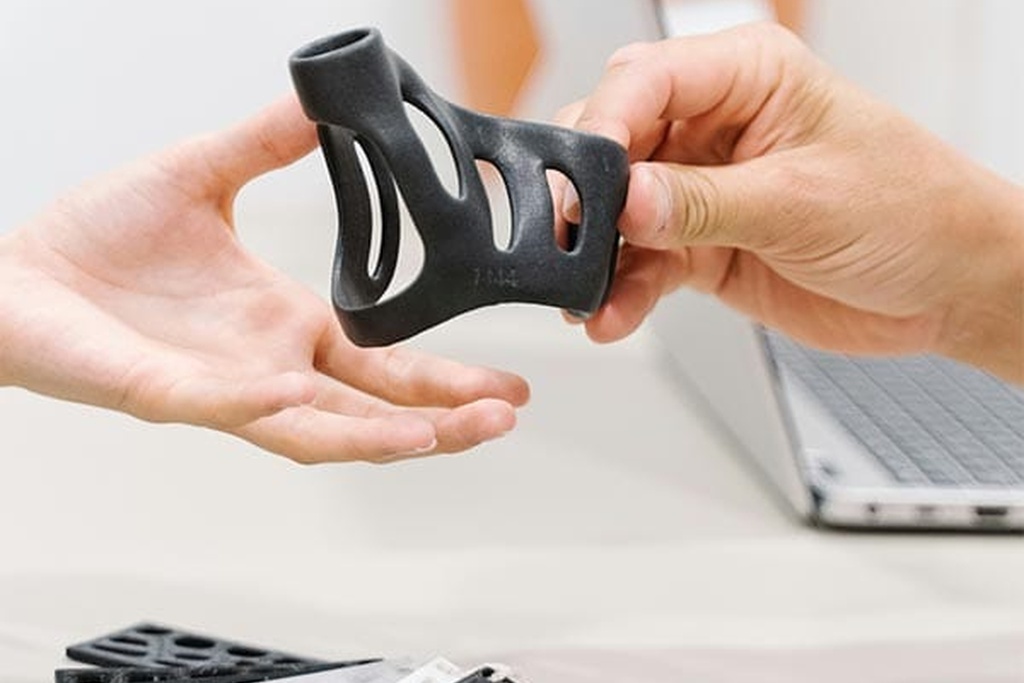
Grip, reach, pressure, body shape and dexterity vary across users. Medical wearables and rehabilitation products may require adjustable geometry, clear placement references and feedback that confirms correct contact.
Design for Stress and Interruption
Emergency and caregiving products may be used by frightened or distracted people. Workflows should minimize steps, make priorities obvious and preserve progress safely after interruption.
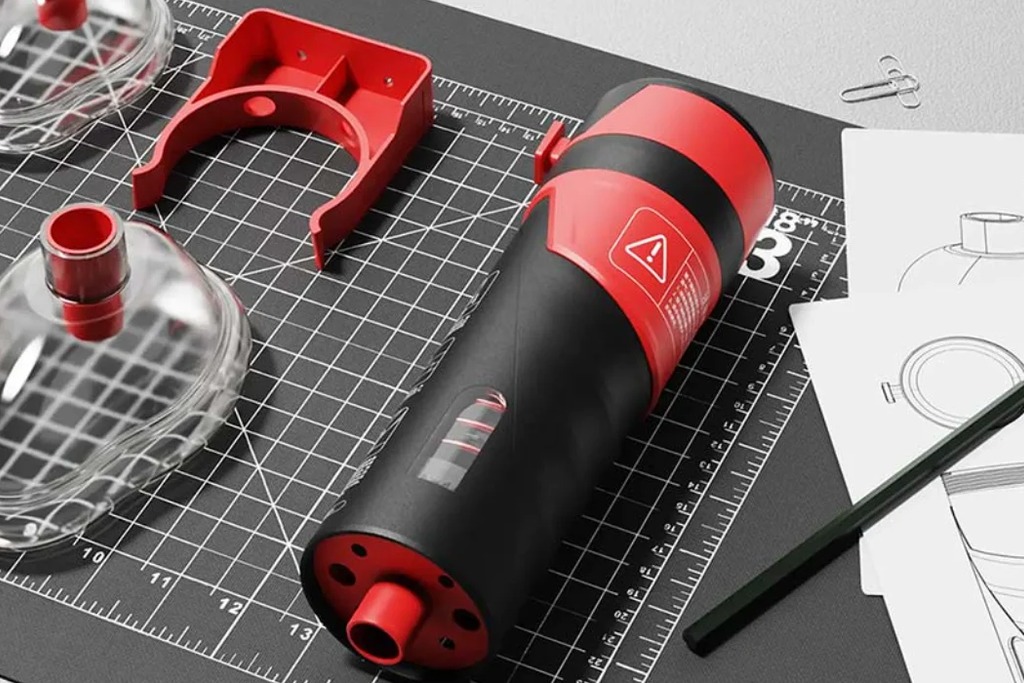
In OPD’s anti-choking device design case, the development challenge centered on enabling rapid use without electronics, wearable components or specialized training. Emergency-use products illustrate why interaction simplicity, physical guidance and user confidence must be treated as safety requirements.
Use Formative Evaluation Throughout Development
Formative human factors evaluations are iterative studies used to discover problems and improve the design. They can begin with sketches, foam models, software simulations and partially functional prototypes.
Formative methods include:
- Contextual inquiry
- Workflow observation
- Expert and heuristic review
- Cognitive walkthroughs
- Label and instruction comprehension studies
- Simulated-use testing
- Comparative prototype testing
- Physical fit and ergonomic evaluation
Early studies should answer focused questions:
- Can users identify how to begin?
- Do they interpret a symbol correctly?
- Can they connect a component without forcing it?
- Do they notice an abnormal state?
- Which step creates hesitation or requires help?
- Does a proposed risk control prevent the expected error?
Formative testing should use participants who meaningfully represent the intended users. Testing only with engineers, designers or medical experts can hide problems experienced by lay users.
The prototype should match the question. A low-fidelity model may be sufficient to compare control positions, but alarm comprehension requires realistic sound, timing and context.
Plan Human Factors Validation Testing
Human factors validation testing—sometimes called summative usability testing—is intended to confirm that the final user interface can be used safely and effectively by the intended users under representative conditions.
It is different from a design workshop or general product preference study.
Validation planning should address:
- Representative user groups
- Intended use environments
- Critical tasks identified through risk analysis
- Final or production-equivalent user interface
- Packaging, labeling, instructions and training
- Realistic scenarios and environmental conditions
- Data collection and analysis methods
- Definition of use errors, close calls and operational difficulties
- Procedures for follow-up interviews
- Evaluation of residual use-related risk
Participants should not receive assistance that would be unavailable in actual use. Training should reflect what future users will realistically receive, including the time that may pass between training and use.
Testing should capture more than successful task completion. A participant may eventually complete a task after confusion, repeated attempts or a close call that reveals unacceptable risk.
The 2026 FDA guidance on human factors information in marketing submissions uses a risk-based framework and applies to submission types including 510(k)s, De Novo requests, PMAs and HDE applications. The required strategy and documentation depend on the device and its risk profile. See the FDA guidance on human factors information in submissions.
Analyze Use Errors Without Blaming Participants
When a participant makes an error, record what happened before asking why. Interviews alone may produce incomplete explanations because users do not always know which interface feature influenced them.
A useful analysis separates:
- Observation: What did the participant do or fail to do?
- Context: What information, conditions and competing demands were present?
- Interface factors: Which design elements may have contributed?
- Potential consequence: What harm could result?
- Existing recovery: Did the device or user detect and correct the problem?
- Design response: How can the risk be eliminated or reduced?
- Retest requirement: What evidence is needed after the change?
Avoid treating every deviation as carelessness. Repeated errors across participants usually indicate a system problem. A single error may still be critical if the potential harm is severe.
Integrate Human Factors With the Development Process
Human factors should not operate as a separate activity performed shortly before regulatory submission.
| Development stage | Human factors activities | Main outputs |
| Product definition | Intended users, uses and environments | User profiles and use specification |
| Early concept | Workflow research and known-problem review | Preliminary task analysis and interface concepts |
| Architecture | Use-related risk analysis | Critical tasks and risk-control requirements |
| Industrial and UX design | Formative evaluations | Evidence-based design iterations |
| Engineering prototype | Integrated simulated-use testing | Updated URRA and interface requirements |
| Design validation | Human factors validation | Validation report and residual-risk evaluation |
| Design transfer | Labeling, training and production consistency checks | Controlled interface specifications |
| Post-market | Complaints, use errors and field feedback | Corrective actions and future design inputs |
Human factors findings should connect to design inputs, outputs, risk controls, verification and validation records. If a study reveals a new hazard, the risk analysis and requirements should be updated—not only the usability report.
Human Factors for Different Medical Product Categories
Home-Use Medical Devices
Lay users may have limited training, and the product must function in variable lighting, noise, power and storage conditions. Setup, cleaning, connectivity and customer support become safety-relevant interface elements.
Medical Wearables
Placement, fit, pressure and long-term comfort can affect both adherence and data quality. The device should communicate poor contact, incorrect position and incomplete setup clearly.
Emergency Devices
Users may be frightened, rushed and unfamiliar with the product. The device should minimize decision-making, guide physical action and communicate completion or failure immediately.
Clinical Equipment
Workflows involve trained users but also interruptions, gloves, shared equipment, complex alarms and multiple patient contexts. Professional experience does not eliminate use-related risk.
Connected Health Products
The complete interface includes the device, app, account, cloud services and data transfer. Pairing failure, network loss, software updates and permission settings should be included in task analysis.
Documentation That Supports a Medical Device Human Factors Program
A well-structured file may include:
- Human factors engineering plan
- Intended user profiles
- Intended uses and use environments
- User-interface description
- Known use-problem analysis
- Task analysis
- Use-related risk analysis
- Critical-task rationale
- Formative study protocols and reports
- Design changes and risk-control evidence
- Human factors validation protocol
- Validation report
- Residual-risk evaluation
- Traceability to product requirements and broader risk management
Documentation should explain the development logic: what risks were identified, how the interface changed, what evidence supports the change and why remaining risk is acceptable within the applicable framework.
Do not create these documents only after testing. Retrospective documentation often loses the reasoning behind design decisions and creates traceability gaps.
OPD provides end-to-end medical device design and healthcare product development services, including product strategy, user research, industrial design, mechanical and electronic engineering, medical device prototyping, usability evaluation, compliance planning and mass-production support. Integrating human factors with engineering and risk management from the beginning helps transform a technically functional device into one that can be used safely, effectively and confidently in the real world.